
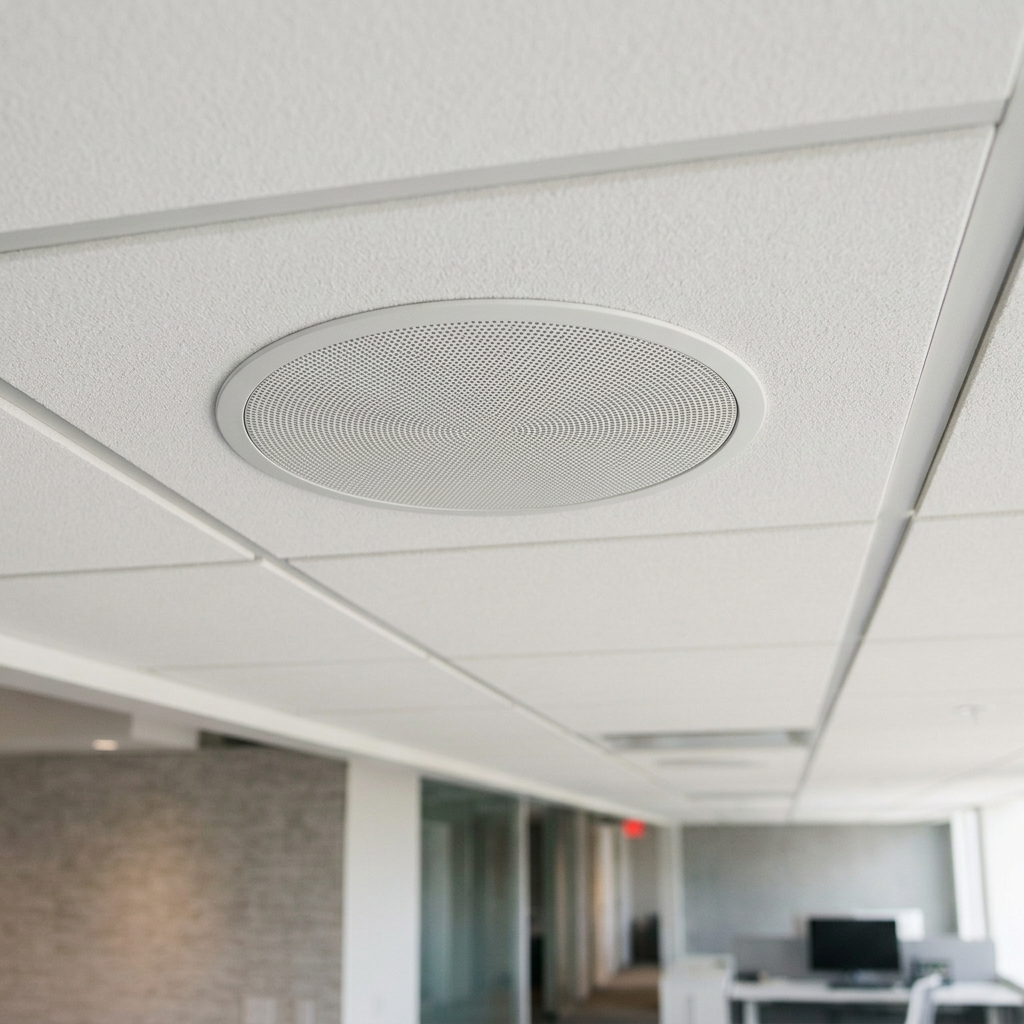
Choosing ceiling speakers starts with the room and the job, not just the diameter of the woofer. A retail floor playing background music, a restaurant with several zones and a meeting room carrying speech can require different layouts and controls, even when their floor areas are similar.
This guide focuses on installed commercial audio. Start with our Ceiling Speakers collection, then use the steps below to narrow your choices. Digital signal processing can be useful, but it should support a sound layout and correctly matched amplification, not substitute for them.
1. Define the room size, listening area and intended use
Record room length and width, ceiling height, the height of seated or standing listeners, and the areas that actually need coverage. Note partitions, soffits, changes in ceiling height and background noise from HVAC or normal activity. Also check the available depth above the ceiling before selecting a backcan.
Decide whether the system is for quiet background music, foreground listening, paging or a combination. Establish the required listening level and how evenly it must be maintained. Floor area alone does not tell you how many speakers you need, and a larger driver is not automatically the right solution for a larger room.
Separate spaces into zones when they need different sources, schedules or volume settings. A dining area and a corridor may share a music source without needing the same level or processing.
2. Plan coverage at the listening plane
A published dispersion angle is a starting point, not a guarantee of uniform sound throughout the room. Look for the manufacturer's coverage plots, the frequencies used to specify coverage and layout guidance for the intended mounting height. The distance from the speaker to listeners matters, not simply its height above the floor.
JBL's ceiling-speaker application guide distinguishes polar coverage from coverage across a flat listening plane. Sound travels farther to listeners off to the side, so a headline coverage angle should not be treated as an exact spacing rule. Use manufacturer design tools or acoustic modeling when available, and evaluate overlap between adjacent speakers.
For a small enclosed room, check corners and seating positions rather than assuming one central speaker is sufficient. For a larger open room, plan a distributed layout and check level variation across the occupied area. For tall ceilings or irregular spaces, have an installer evaluate directivity and output requirements before committing to quantities.
One published in-ceiling option to investigate is the SoundTube CM500i 5.25-inch coaxial in-ceiling speaker. Its listing includes transformer operation and an 8-ohm direct setting. Compare its current manufacturer documentation, dimensions and coverage data with your project rather than choosing by driver size alone.
3. Match amplifier power, line voltage and impedance
Determine whether the design will use a transformer-distributed 70V/100V system or low-impedance speaker connections. Match the amplifier output mode, speaker connection and tap selector settings. Never assume that a transformer bypass setting is suitable for a distributed-voltage output.
For 70V or 100V systems
Add the wattage of every selected speaker tap on each amplifier channel, then allow the headroom required by the amplifier and speaker manufacturers. Check which taps are available at the chosen line voltage: 70V and 100V settings are not always interchangeable.
For example, eight speakers set to 10 watts total 80 watts of connected tap load. That calculation is a starting load budget, not a complete amplifier specification. JBL's application guide gives adding 20 percent as a rule of thumb; the selected equipment, required program peaks and project design still govern the final choice. Recalculate if you raise taps or add speakers later.
For low-impedance systems
Check the combined load presented to each amplifier channel and its supported minimum impedance. Connecting multiple speakers changes the load, so an individual speaker's nominal impedance is not the same as the total channel load. Follow the amplifier and speaker manufacturers' wiring and power recommendations rather than matching wattage numbers without context.
Check continuous, program and peak ratings carefully, because they describe different conditions. Cable length, cable selection, required output and channel allocation belong in the design too. Document wiring and tap settings before commissioning.
4. Check plenum rating and physical installation requirements
Do not assume every ceiling speaker is suitable for an air-handling plenum, or that a metal backcan by itself establishes suitability. Confirm the exact model's published listings and installation instructions. UL 2043 is a designation you may encounter in manufacturer documentation for plenum applications; verify the requirements for the particular site with the project professional or local authority.
Check cutout diameter, backcan depth, ceiling thickness, tile-bridge requirements, mounting hardware, cable entry and required secondary support. Confirm the specified cable and installation method separately. A speaker's listing does not establish approval for an entire installation, and a background-music system should not be assumed suitable for an emergency voice-alarm application.
5. Decide whether DSP solves a specific system need
A digital signal processor works on the audio signal before amplification. Depending on the model, it can provide equalization, filters, delay, mixing, routing and level control. Some amplifiers already include the processing you need, so check their capabilities before adding a separate unit.
A straightforward single-zone background-music system may not need a separate DSP if its existing electronics provide the necessary functions. DSP becomes more useful when the design calls for independent zone adjustment, multiple sources, paging ducking, manufacturer-specified filtering or measured equalization. Verify each required function on the chosen processor.
Browse our AtlasIED DSP / Signal Processors collection. Published processor options include the AtlasIED TSD-BB22 2-input/2-output processor and the AtlasIED TSD-BB44 4-input/4-output processor. Their listings describe BlueBridge processing tools including equalizers, filters, delays and duckers. Choose input/output count and control requirements from the full signal-flow plan, not just the speaker count. These are signal processors, not substitutes for a power amplifier.
6. Know when professional tuning is worth including
Include commissioning help when coverage is uneven, speech is difficult to follow, several zones must behave differently or microphones and music share the system. Professional setup is also useful when processing settings must be documented and protected from casual changes.
Commissioning should begin with wiring, polarity, tap settings, gain structure and coverage checks. Measurements and listening tests at representative positions can then guide appropriate EQ and filtering. Apply manufacturer-recommended speaker settings where applicable, and verify the system at realistic operating levels.
DSP is not a cure for missing coverage, inadequate amplifier capacity or excessive room reflections. JBL specifically warns against trying to equalize reflections or making large corrective changes from an unrepresentative measurement position. If sound changes sharply as you move around the room, investigate placement, overlap and room acoustics before adding more EQ.
Before you order
Prepare a room plan with ceiling and listener heights, intended use, zones and target levels. Confirm the speaker layout, amplifier load budget, physical fit and installation requirements. Then list the processing functions you actually need and assign time for commissioning.
Explore ceiling speaker options alongside AtlasIED processors and DSP-equipped amplification. Bring the room plan and equipment requirements to Performance Audio for help narrowing the choices.
Technical references
JBL: Control Contractor Ceiling Loudspeakers application guide, covering listening-plane coverage, amplifier sizing and equalization; JBL: Ceiling Speaker Configurator instructions, covering layout density and line-voltage settings; and Extron: SF 26CT Series, illustrating model-specific plenum documentation. Always use the current instructions for the exact equipment being installed.